
Manage B2B Contacts, Deals, and Customer Relationships with AI CRM
iris puts it all on one record. It’s the AI CRM that fills itself in while your team sells.
A demo request lands in a form. The follow-up sits in one inbox, the notes in a doc, and the deal stage in a spreadsheet nobody updated. As a B2B CRM, iris keeps the person, the company, the deal, and every conversation together, and updates the record as it happens.


Keep Business Contacts and Account Information Organized
Most teams buy contact management software and account management software separately. iris is both.
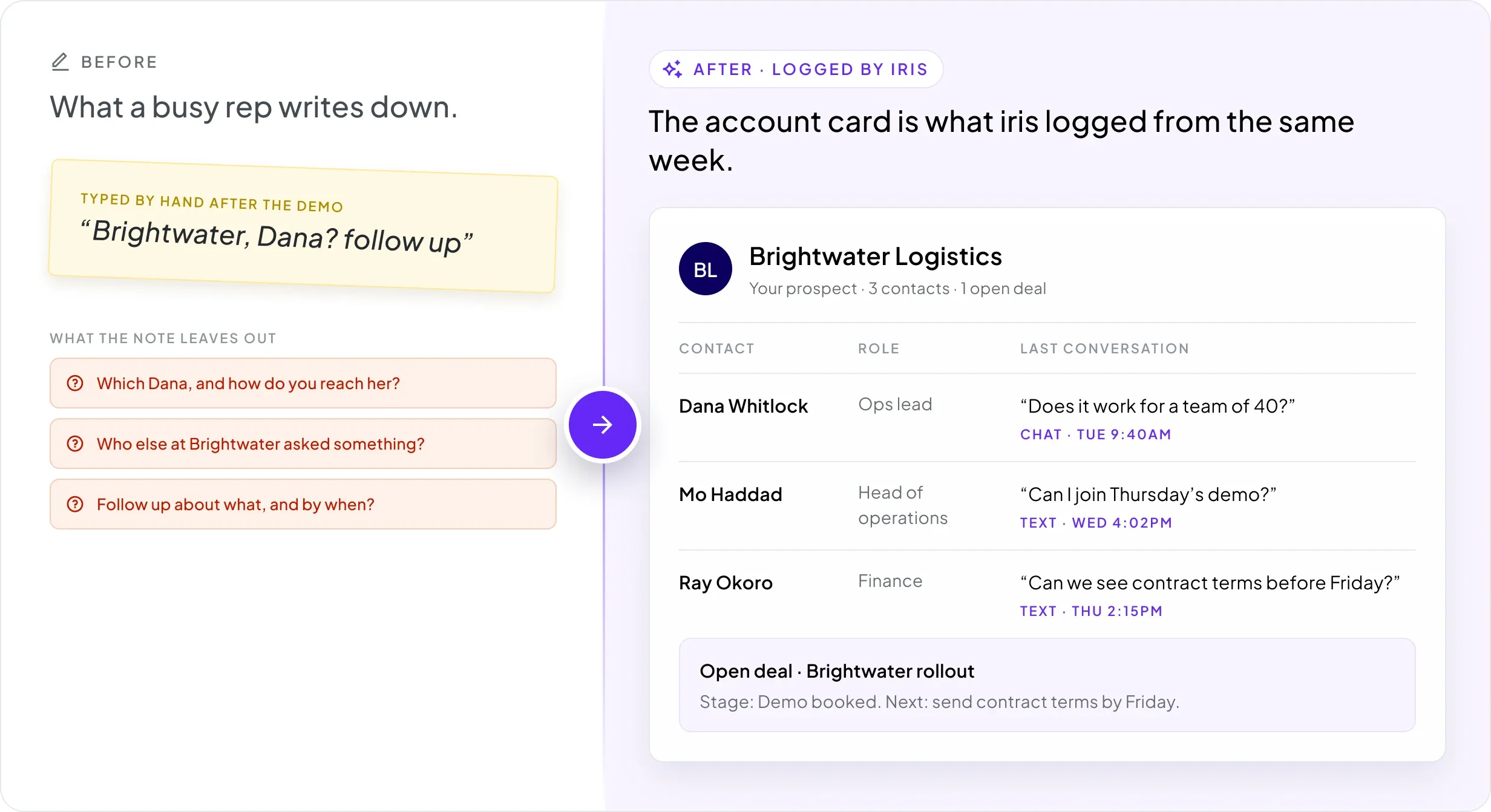
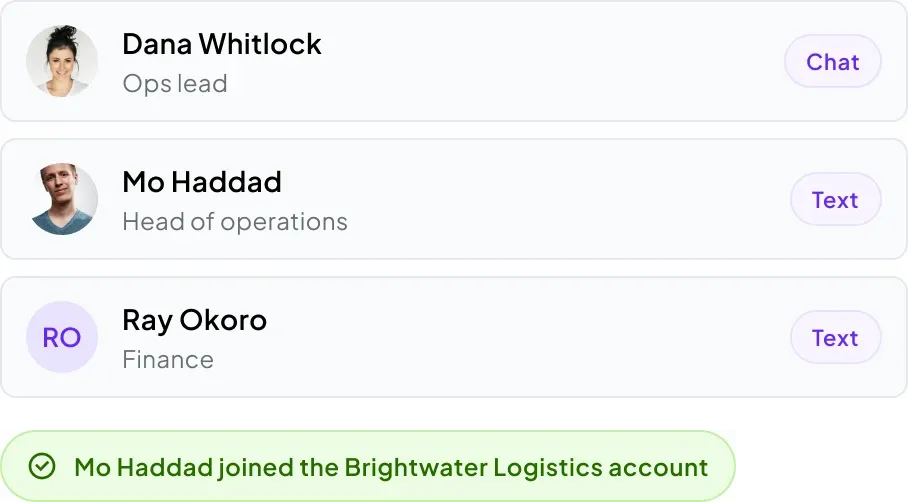
Every contact belongs to a company, so the whole account sits in one view. Say you’re selling to Brightwater Logistics. Open their account and you see everyone your team has talked to there, and what each of them asked.
Contacts tied to their company.
Each person sits under their company record. Add a second buyer, and they join the same account.


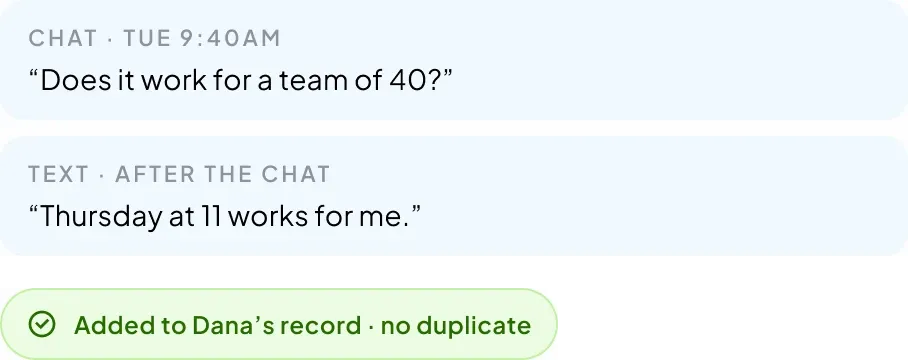
Records that fill themselves in.
Calls, chats, texts, and form fills land on the right contact. Nobody types them in later.



One record per person.
When Dana texts after a chat, iris adds to her record. It matches by phone number and email, so there are no duplicates to clean up.


Bring what you have.
Import contacts and companies from a CSV or the CRM you use now.


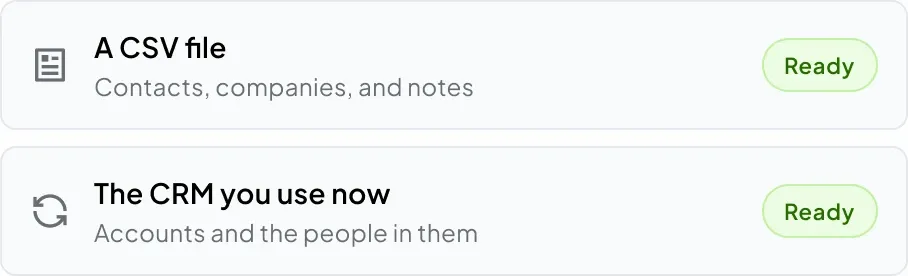
Each contact lands under its company, so the account view is ready on day one.
Manage B2B Sales Relationships and Customer Conversations
Tuesday, 9:40am.
Dana from Brightwater asks your site chat whether the product works for a team of 40. By Thursday she has a demo booked, and Ray from finance wants contract terms. One deal, three people, two channels, and all of it on the record. That’s B2B customer relationship management without the data entry.
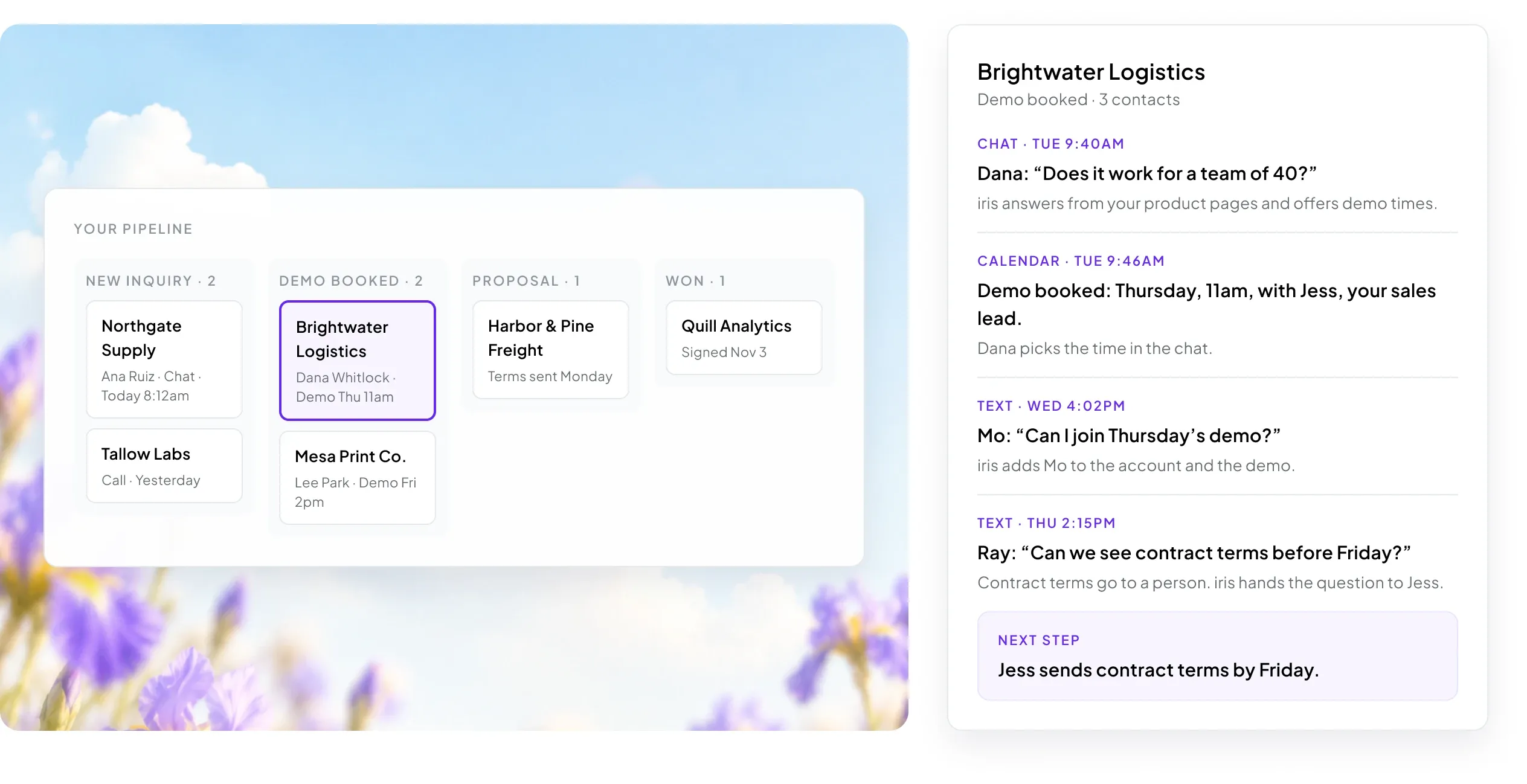
Deals in the stages you use.
As a CRM for B2B sales, iris tracks each deal from first reply to closed, in stages your team names.
Every conversation in one place.
Chats, calls, texts, and email stay with the contact and the deal. Each summary keeps the full conversation behind it.
A next step on every record.
Each record says what the buyer asked for and what happens next, so a deal doesn’t stall between meetings.
Handoffs without a recap.
When the account moves from sales to onboarding, the next person reads the history instead of asking the buyer again.
Automate CRM Workflows and Customer Follow-Up
With CRM workflow automation, iris does the follow-up that usually waits for a free hour. You set the rules, and you choose which questions go to a person.
Reply in minutes, not mornings
A demo request at 11:20pm gets an answer that night, by text, chat, or email.
Book the meeting in the conversation
iris offers open times on your team’s calendar and confirms the demo.
Keep records current
CRM automation updates deal stages and next steps as conversations happen.
Hand off at the right time
You decide which questions go to a person, like contract terms or a custom quote.

AI CRM questions, answered.
AI CRM software keeps your contacts, companies, and deals in one place, and fills in the records for you. iris logs each conversation to the right person and deal as it happens, and it handles routine follow-up. Your team spends less time on data entry and more time with buyers.
Good B2B CRM software starts with one record per person, tied to their company, so each account is in one view. Track every deal by stage, so the team sees what’s open and what’s next. Then let the CRM do the repeat work: logging conversations, sending follow-ups, and booking meetings. iris is CRM automation software, so that work runs on its own once you set the rules.


Your CRM had a good run. We’ll take it from here.
- 14-day free trial
- Month-to-month
- Cancel anytime